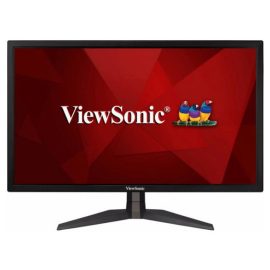
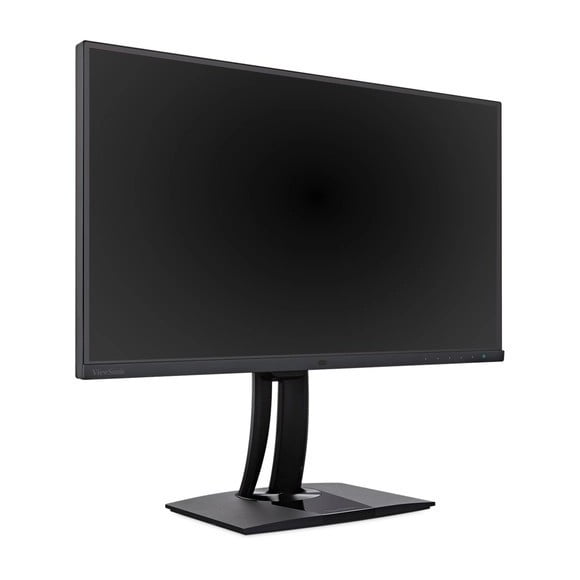
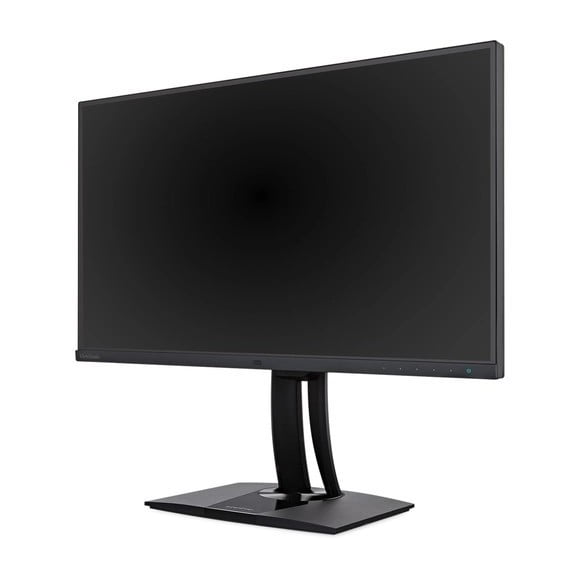
| Size class Size class of the display as declared by the manufacturer. Often this is the rounded value of the actual size of the diagonal in inches. | 27 in (inches) |
| Diagonal Approximate diagonal size of the display. If the manufacturer does not provide such information, the diagonal is calculated from the width and height of the screen. | 685.9 mm (millimeters)
68.59 cm (centimeters)
27.0039 in (inches)
2.2503 ft (feet) |
| Width Approximate width of the display. If the manufacturer does not provide such information, the width is calculated from the diagonal and the aspect ratio. | 596.74 mm (millimeters)
59.674 cm (centimeters)
23.4937 in (inches)
1.9578 ft (feet) |
| Height Approximate height of the display. If the manufacturer does not provide such information, the height is calculated from the diagonal and the aspect ratio. | 335.66 mm (millimeters)
33.566 cm (centimeters)
13.215 in (inches)
1.1012 ft (feet) |
| Panel manufacturer Name of the manufacturer of the display panel. | LG Display |
| Panel model Information about the model of the panel used. | LM270WR4-SSA1 |
| Panel type There are various panel technologies. Each has its own specific features – viewing angles, color reproduction, response time, brightness/contrast, production cost, etc. The image quality depends directly on the type of the display panel used. | AH-IPS |
| Panel bit depth The most widely used panels are those with 6, 8, and 10 bits for each of the RGB components of the pixel. They provide 18-, 24-, and 30-bit color, respectively. | 10 bits (8 bits + FRC) |
| FRC Frame Rate Control (FRC) is a method, which allows the pixels to show more color tones. With quick cyclic switching between different color tones, an illusion for a new intermediate color tone is created. For example, by using FRC, a 6-bit display panel is able to show 16.7 millioin colors, which are typical for 8-bit display panels, and not the standard 262200 colors, instead. There are different FRC algorithms. | Yes |
| LUT A LUT (Look Up Table) contains precalculated sets of values that are used to apply transformations to the input color data so that the resulting data meets certain (the desired) visual standard and color accuracy. For example, LUT can be used to emulate/map different color spaces and gamma settings. Many professional monitors as well as some TVs have programmable internal LUTs allowing more control over the image. | 3D LUT
14 bits |
| Colors The maximum number of colors, which the display is able to reproduce, depends on the type of the panel in use and color enhancing technologies like FRC. | 1073741824 colors
30 bits |
| Aspect ratio The ratio between the horizontal and the vertical side of the display. Some of the standard and widely used aspect ratios are 4:3, 5:4, 16:9 and 16:10. | 1.778:1
16:9 |
| Resolution Information about the number of pixels on the horizontal and vertical side of the screen. A higher resolution allows the display of a more detailed and of higher quality image. | 3840 x 2160 pixels
Ultra HD (UHD) / 4K / 2160p |
| Pixel pitch The pixel pitch shows the distance from the centers of two neighboring pixels. In displays, which have a native resolution (the TFT ones, for example), the pixel pitch depends on the resolution and the size of the screen. | 0.155 mm (millimeters)
0.0155 cm (centimeters)
0.0061 in (inches)
0.0005 ft (feet) |
| Pixel density Information of the number of pixels in a unit of length. With the decrease of the display size and the increase of its resolution, the pixel density increases. | 163 ppi (pixels per inch)
64 ppcm (pixels per centimeter) |
| Display area The percentage of the approximate area, taken by the active part of the screen, to the total front area. | 90.18 % (percent) |
| Backlight The backlight is the source of light of the LCD display panels. The type of backlight determines the image quality and the color space of the display. There are various backlights such as CCFL, LED, WLED, RGB-LED, and etc. | W-LED |
| sRGB sRGB is a color space, developed jointly by Hewlett-Packard and Microsoft in 1996. It is used in different devices such as printers, displays, TV sets, cameras, etc. The sRGB color space covers about 72% of the NTSC color space. | 100 % (percent) |
| Adobe RGB (1998) Adobe RGB (1998) is a color space, developed by Adobe Systems in 1998. It has a wider gamut than the sRGB (mainly in the cyan-green range of colors) and is widely used in professional printing. | 99 % (percent) |
| NTSC (1953) The NTSC (1953) color space is introduced in 1953 by the FCC with the appearance of color television and has a wider gamut than the sRGB. | 75.06 % (percent) |
| DCI P3 DCI P3 is a color space, introduced in 2007 by the SMPTE. It is used in digital cinema and has a much wider gamut than the sRGB. | 96.4 % (percent) |
| Brightness Information about the brightness of the screen. It is measured in candela per square metre (cd/m²). | 350 cd/m² (candela per square meter) |
| Static contrast The static contrast shows the ratio between the brightest and the darkest color, which the display can reproduce simultaneously, for example, within one and the same frame/scene. | 1000 : 1 |
| Dynamic contrast The dynamic contrast shows the ratio between the brightest and the darkest color, which the display can reproduce over time, for example, in the course of playing a video. | 20000000 : 1 |
| HDR HDR expands the contrast ratio (peak luminance and minimal black levels) and color palette to achieve more details across the whole image – from the darkest parts to the brightest ones, which results in more realistic and life-like image. | HDR10 |
| Horizontal viewing angle Information about the maximum horizontal viewing angle, within which the image on the screen is of acceptable quality. | 178 ° (degrees) |
| Vertical viewing angle Information about the maximum vertical viewing angle, within which the image on the screen is of acceptable quality. | 178 ° (degrees) |
| Minimum response time Information about the minimum amount of time, in which the pixels change from one color to another. Very often the manufacturer provides the response time for transition from grey-to-grey (G2G). | 7 ms (milliseconds)
0.0070 s (seconds) |
| Average response time Information about the average amount of time, in which the pixels change from one color to another. | 14 ms (milliseconds)
0.0140 s (seconds) |
| Input lag Desktop monitors and smart TVs experience a latency/lag in visualizing the information. The time in milliseconds that the display needs to visualize the signal input. | 30 ms (milliseconds)
0.0300 s (seconds) |
| Coating Information about the type of coating of the display. There are different types of matte and glossy coatings, each of which has its own advantages and drawbacks. | Anti-glare/Matte (3H) |